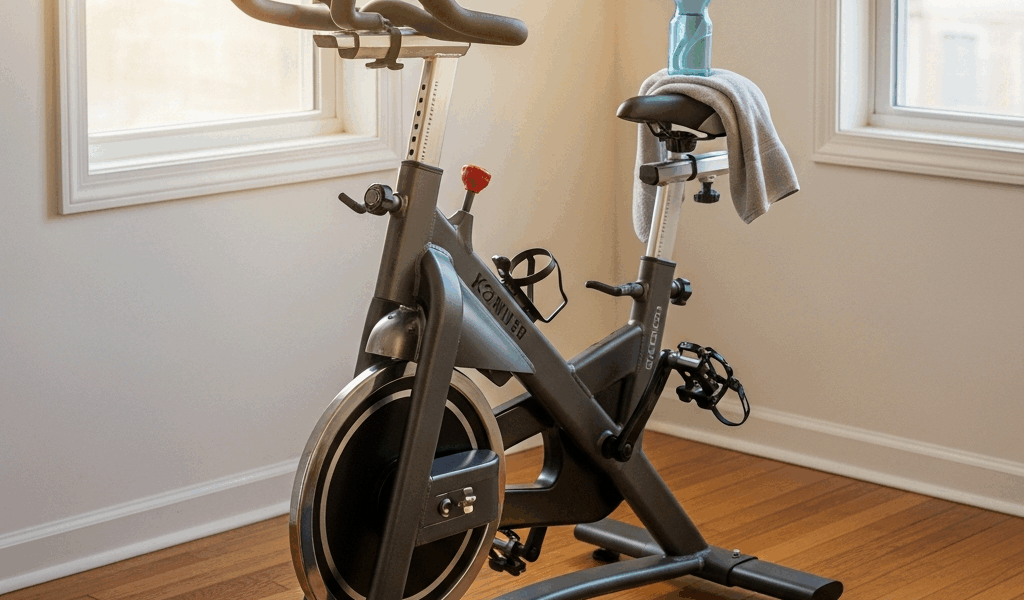
What You Need — Phone, Basic Spin Bike, and These Apps
Finding the best indoor cycling app for a spin bike without a screen has gotten complicated with all the marketing noise flying around. As someone who bought a $180 Amazon spin bike three years ago and had zero idea what to do with it, I learned everything there is to know about making a screenless setup actually work. No Bluetooth. No integrated display. Just a flywheel, a resistance knob, and a phone sitting on my kitchen counter.
Here’s what you actually need. A smartphone or tablet — iOS or Android, doesn’t matter. A basic spin bike. That’s genuinely it. You’re already 90% of the way there before spending another dollar.
The optional piece? A cadence sensor. They run $18 to $35. I resisted buying one for eight months. Don’t make my mistake. A cadence sensor pairs with your phone via Bluetooth and feeds apps like Zwift your real pedaling speed — rotations per minute, live. Without one, you’re estimating your effort level based on how your legs feel. Which, honestly, is not a training strategy.
You’ll also want a phone mount — something that clips to your handlebars and holds your screen at eye level. I used a $12 adjustable holder from Target. Nothing fancy. It just needs to keep the screen visible so your hands stay on the bars where they belong during actual hard efforts.
Best Free Options — YouTube Channels, Nike Training Club, Basic Timers
Probably should have opened with this section, honestly. I started free because spending money on a spin app felt absurd when I’d already spent $180 on the bike itself.
YouTube is genuinely underrated here. Search “30 minute spin class” and hundreds of results come back — real instructors, full-length classes, actual music, structured intervals. Cody Rigsby used to coach at Peloton before going independent. Erin Motz uploads solid cardio sessions. Local fitness creators fill in the rest. Zero subscription cost. You set a phone timer, you follow along, you sweat. Done.
Nike Training Club has a cardio section with several spin-compatible workouts — usually 15 to 20 minutes, well-produced, completely free. The app walks you through intensity changes and interval blocks. It won’t touch your bike’s metrics, but it gives you structure when free-form riding gets boring fast.
Simple timer apps work too. Five-minute warm-up. Thirty seconds hard. Two minutes easy. Repeat. This is how people trained before apps existed — it still works. I did it for a week. It was effective and absolutely miserable to stay motivated through.
Real limitation of free options: after two months of YouTube classes, I genuinely couldn’t tell if I was getting faster or just better at tolerating discomfort. No data. No progress markers. That gap matters more than I expected it to.
- YouTube spin channels — free, unstructured, massive variety
- Nike Training Club — structured intervals, cardio focus, free
- Basic timer apps — complete DIY approach, minimal engagement
- Spotify or Apple Music — playlist-based pacing without any coaching
Best Paid Apps Under $15 per Month — Peloton, Apple Fitness+, Zwift
Paid apps changed things. I tested three serious contenders — all of them usable on a basic spin bike with no smart features.
Peloton App — $14.99 Monthly
But what is the Peloton app, really? In essence, it’s a streaming library of instructor-led cycling classes. But it’s much more than that — it’s the closest thing to a boutique studio experience you can get from a $180 Amazon bike in your spare bedroom.
Counter to what most people assume, you don’t need a Peloton bike to use the Peloton app. This was genuinely revelatory to me when I figured it out. You pick a class length, a difficulty level, a music genre. Instructors coach you through efforts and recoveries while the playlist runs underneath. You follow their pace suggestions. Classes range from 10 minutes to an hour, and new ones drop daily.
Real limitation: the app doesn’t connect to your bike. It can’t measure cadence or resistance without an external sensor — and even with one, the app doesn’t use that data. You’re coaching-based, not metrics-based. For some people, that’s fine. For others, it gets frustrating fast.
Apple Fitness+ — $9.99 Monthly
Apple Fitness+ has cycling classes built for stationary bikes — shorter than Peloton, usually 20 to 45 minutes. Instructors are solid. Music is contemporary. Production quality is high. You need an Apple device to stream, but you don’t need an Apple Watch to participate, which surprised me.
Same limitation as Peloton — no bike metrics without third-party sensor integration. The app itself doesn’t track your spin bike data. At $9.99 monthly, it’s the cheaper option with slightly fewer class options. That’s the honest tradeoff.
Zwift — $14.99 Monthly
Zwift is different — completely different. It’s not filmed classes with instructors. It’s a virtual cycling world where you pedal through digital landscapes alongside real people riding simultaneously from their homes worldwide. Imagine indoor cycling crossed with a video game. That’s what makes Zwift endearing to us budget cyclists who want something more than just following along.
Zwift requires a cadence sensor to work properly. You pair a Bluetooth sensor, the app reads your RPM, estimates your power output, and your avatar moves through the virtual world based on actual pedaling data. Faster pedaling equals faster avatar. The feedback loop is immediate and oddly addictive.
The learning curve is real — sensor setup takes patience, and the interface is complex compared to Peloton. But the community is massive. Riding alongside actual people worldwide keeps you accountable in ways a filmed class simply doesn’t.
- Peloton App — $14.99/month, filmed classes, no metrics without sensor
- Apple Fitness+ — $9.99/month, shorter classes, streamlined interface
- Zwift — $14.99/month, virtual world, sensor required, community-driven
Cadence Sensor Setup — Worth the $20 Investment
Spending $20 on a cadence sensor changes your entire experience. I waited eight weeks to figure this out. Don’t make my mistake.
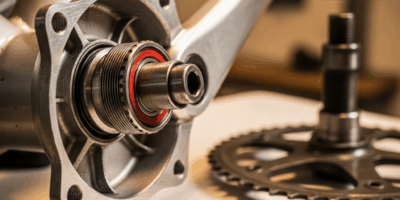
A cadence sensor measures how many full pedal rotations you complete per minute — RPM. You mount a small device on your crank arm using a zip tie. A magnetic receiver clips to your frame nearby. When you pedal, the sensor detects each rotation and sends that data to your phone via Bluetooth, live.
The Wahoo RPM Cadence Pod runs $19.99. The CooSpo Bluetooth Cadence Sensor is $24.99. Both work with most major cycling apps. Installation takes about 10 minutes — zip tie the sensor, clip the receiver, open your app, pair via Bluetooth. That’s the whole process.
What a sensor unlocks: real numbers. Apps like Zwift read your cadence and estimate power output. You see your actual RPM during efforts. You track improvement week over week. You hit specific targets during structured workouts instead of guessing based on perceived effort.
Sensor Compatibility Check
Not every app uses sensor data — and this matters before you buy anything. Zwift absolutely requires a sensor and builds its entire experience around your cadence numbers. Peloton and Apple Fitness+ don’t use sensor data at all — they’re coaching-based platforms. Nike Training Club doesn’t track bike data either.
Your decision really comes down to this: want game-like training with performance metrics? Invest in a sensor and use Zwift. Want coached classes with good music and solid structure? Save your money and go Peloton or Apple Fitness+. Those are genuinely different things you’re choosing between.
Our Top Pick for Budget Spin Bikes — Peloton App Plus a Cadence Sensor
After testing these options for sustained stretches — not just a single workout — my recommendation for budget spin bike owners is a specific combination: the Peloton app at $14.99 monthly, paired with an optional cadence sensor at $20 one-time.
The Peloton app might be the best option here, as budget spin bike training requires structure and motivation that free content struggles to sustain. That is because the instructor quality, class variety, and production consistency at $14.99 monthly simply outperforms everything else at that price point. Instructors are energetic without tipping into obnoxious. Warm-up, work, and cool-down phases are clearly structured. Music is actually curated, not just shuffled.
The cadence sensor is optional — worth being honest about that. Without one, the Peloton app delivers excellent coached workouts and your phone just plays the class. With one, apps like Zwift open up. But you don’t need Zwift’s complexity if coach-led workouts are genuinely what you want. The Peloton app delivers that without sensor data.
Total cost: $14.99 monthly. Optional sensor: $20 one-time. A Peloton bike costs $1,495. The Peloton Bike+ runs $2,495. You’re accessing 80% of the content quality at roughly 1% of the hardware cost — apparently that’s not a number most people realize until they actually try it.
Real honest moment: the Peloton app has real downsides. It doesn’t gamify training like Zwift does. You can’t see other riders. Your metrics don’t appear because the app can’t measure them. Competitive people will hit a ceiling fast. While you won’t need a $1,500 smart bike to get real workouts done, you will need a handful of realistic expectations about what a coaching app can and can’t provide.
First, you should figure out what you actually want from training — at least if you want to avoid subscribing to three apps before landing on the right one. For someone with a budget spin bike, limited space, and a genuine desire for structured workouts with solid coaching and good music? The Peloton app is the answer. Apple Fitness+ is slightly cheaper but thinner on content. Zwift is excellent if metrics and community matter to you — but it requires a sensor and considerably more patience to set up.
My workflow: Peloton app subscription, iPad clipped to the handlebars, Wahoo cadence sensor zip-tied to the crank arm. That’s the whole setup. Cost me under $35 to build beyond the bike itself.

Leave a Reply